
mbeat H1 SSD Mini Dock: 10Gbps M.2 Storage Guide

Storage & Connectivity · March 2026
Most people only think about their M.2 SSD when replacing a laptop drive or building a PC. But if you regularly clone drives, back up data, or want to repurpose a spare NVMe as fast external storage — you need a quicker way to access it than dismantling your machine every time.
The mbeat H1 SSD Mini Dock solves exactly that. Drop your M.2 drive in, plug into USB-C, and you're transferring at up to 10Gbps — no screws, no tools, no enclosure to open.
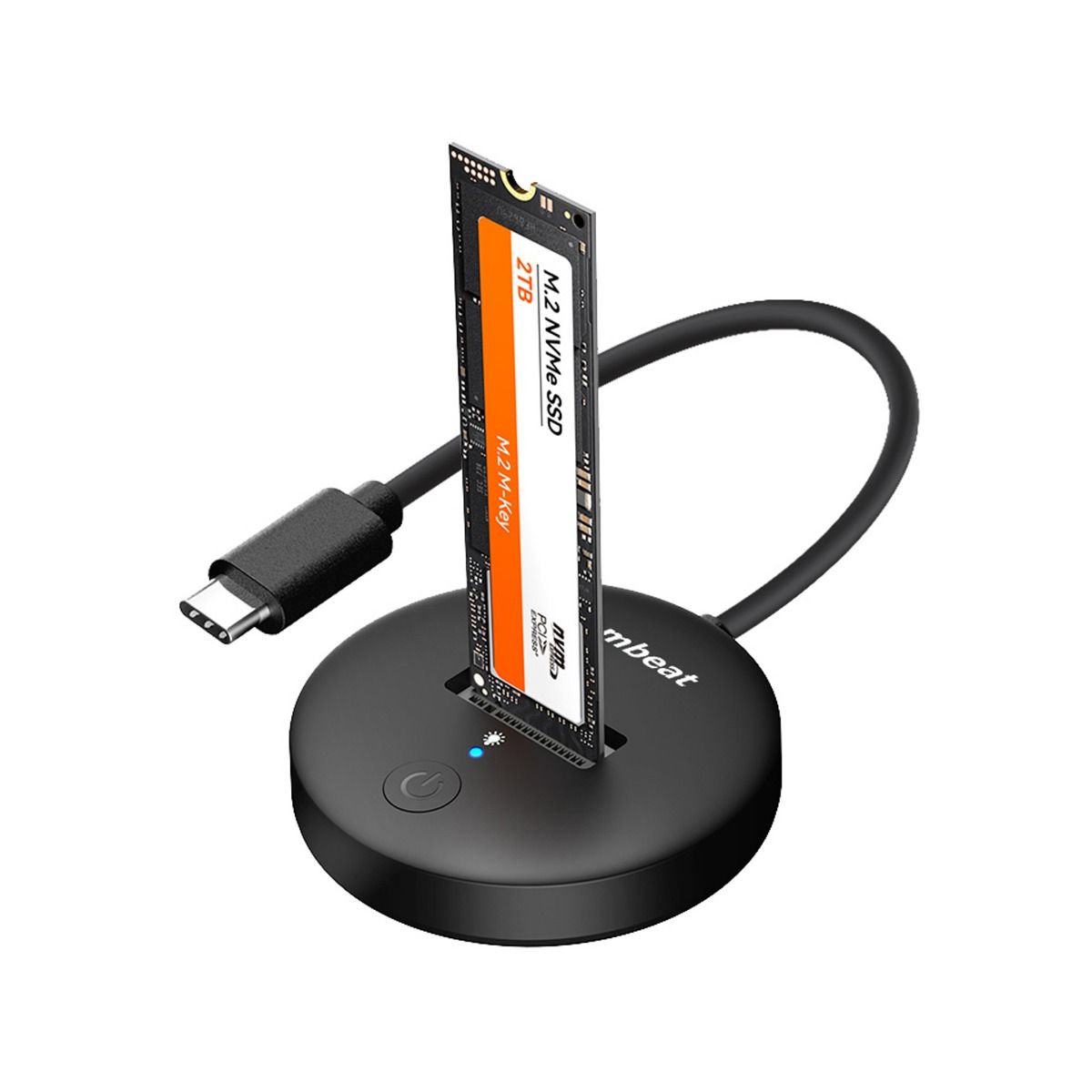
SKU: MB-HDD-M2H1BK
mbeat H1 USB 3.2 Gen2 10Gbps M.2 NVMe & SATA SSD Mini Dock
$39.95 AUD inc. GST
key specifications
pros & cons
✓ WHAT WE LIKE
› Completely tool-free — no screws, ever
› Hot swap on Windows & Mac
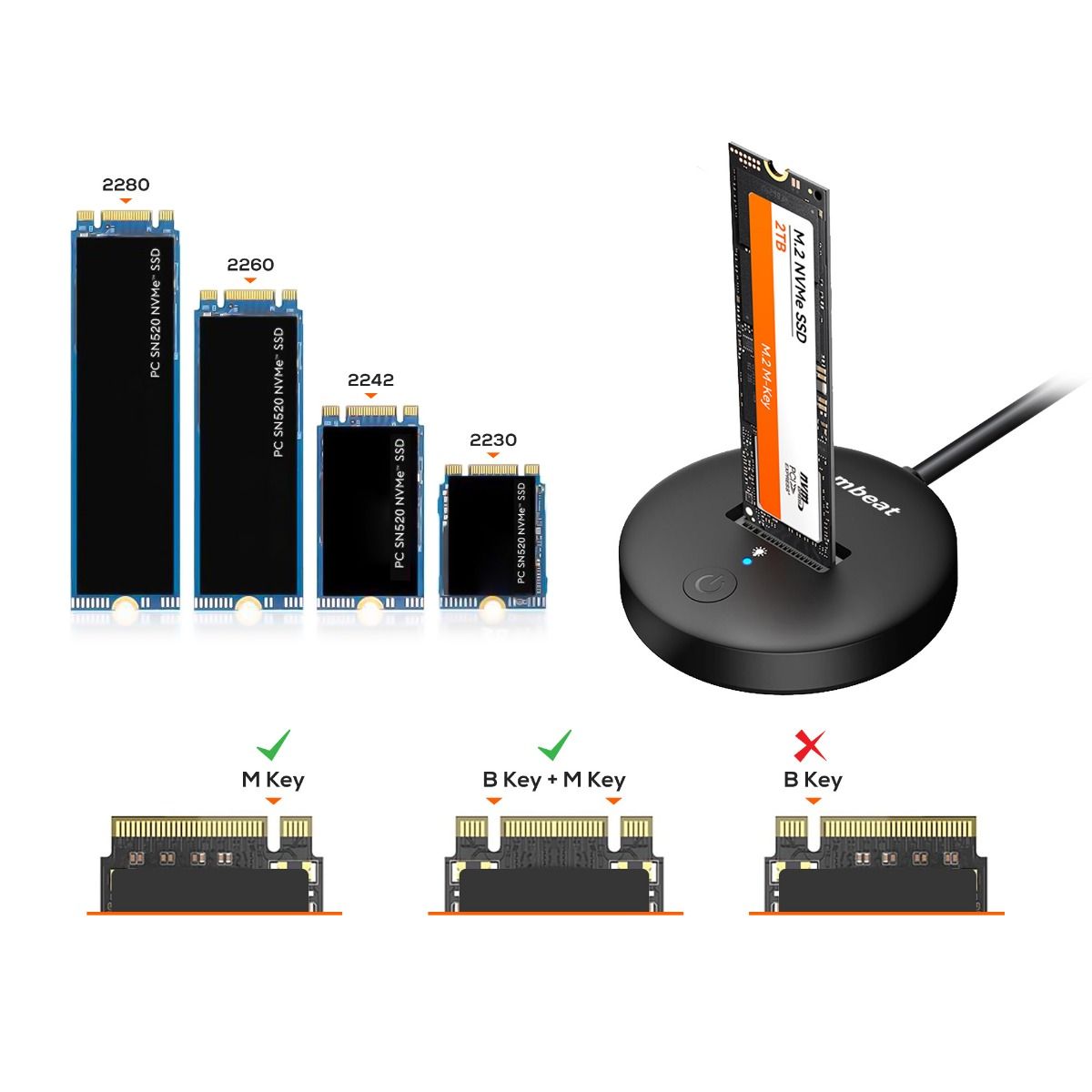
› Supports all M.2 sizes (2230–2280)
› Open design keeps the drive cool
› Lightweight at 37.8g
› Excellent value under $40 AUD
✗ WORTH NOTING
› Open frame — not ideal for travel
› Single bay only
› 15cm cable may feel short on large desks
who is this for?
The H1 is ideal for IT technicians who regularly test and clone drives, content creators managing multiple project SSDs, and home office users who want to repurpose an old laptop drive as fast desktop storage. If you've got a spare M.2 sitting in a drawer, this turns it into a 10Gbps external drive for under $40.
Our Verdict
The easiest way to get 10Gbps from any M.2 SSD.
At under $40 with an Australian warranty, the mbeat H1 is one of the most
practical M.2 docks available locally.Tool-free hot-swap saves real time —
whether you're cloning a drive, running a daily backup, or keeping a spare NVMe on your desk.
common questions?
Does the mbeat H1 work with both NVMe and SATA M.2 SSDs?
Yes. The H1 supports both M.2 NVMe (PCIe) and SATA drives across B+M Key and M Key connectors. It fits all common M.2 lengths — 2230, 2242, 2260, and 2280 — covering virtually every M.2 SSD sold in Australia including drives from older laptops.
Can I use this to clone my old SSD to a new one?
Absolutely — it's one of the best uses for the H1. Connect your new SSD via the dock, then use free software like Macrium Reflect (Windows) or Carbon Copy Cloner (Mac). The 10Gbps connection makes cloning significantly faster than older USB 3.0 enclosures.
Does it work on Mac?
Yes. Plug into any USB-C or Thunderbolt port and a formatted drive mounts automatically. New drives can be initialised via Disk Utility. Works with all Apple Silicon Macs (M1, M2, M3, M4) and Intel Macs.
